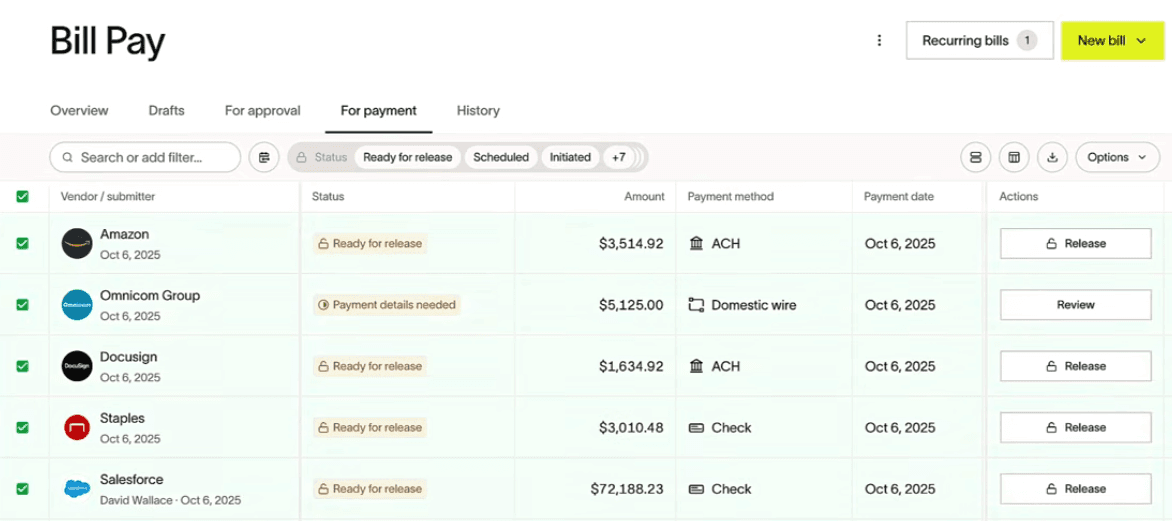




You connect your bank account, then upload or email invoices into Ramp, approve them, and pay vendors directly from the dashboard. It is often used to replace ad hoc payments (like Venmo or Zelle), streamline accounts payable, and keep payments and records organized for bookkeeping.
Ramp Bill Pay is Ramp's accounts payable feature that lets you collect vendor invoices, get them approved, and pay them from one place.
In practice, it works like this:
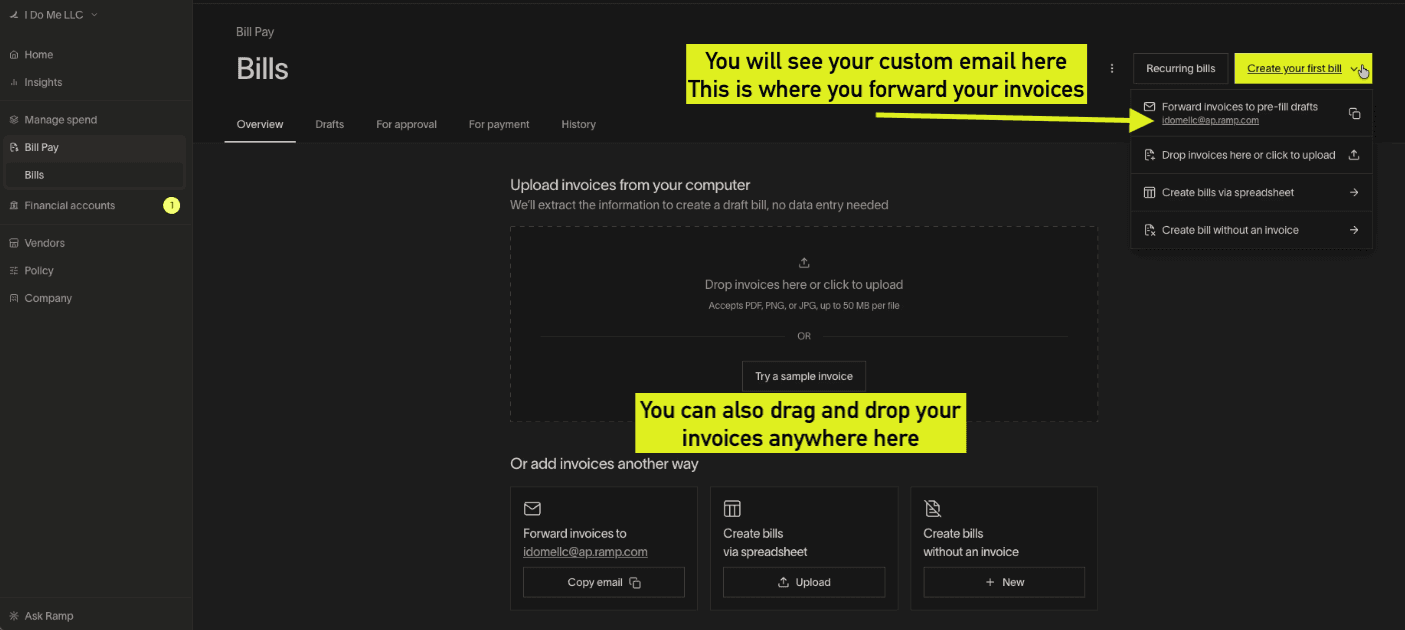
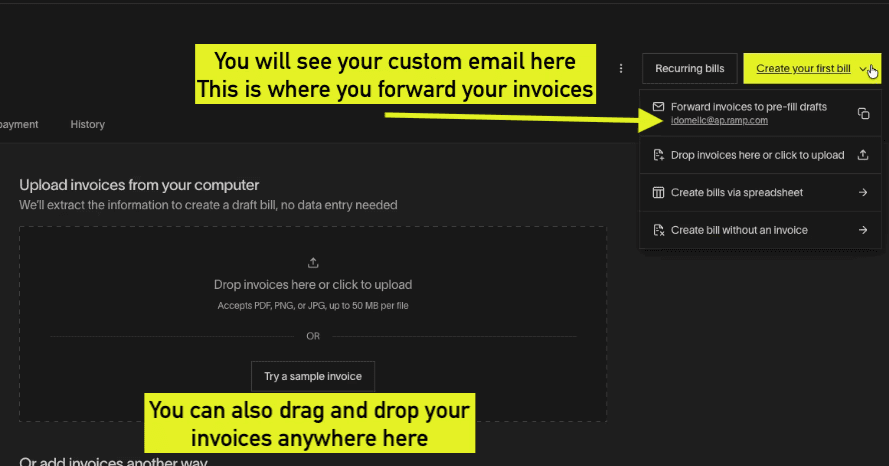
You send bills into Ramp — either by forwarding them to your unique Ramp Bill Pay email or uploading them in the dashboard.
Ramp pulls key details (vendor, amount, due date), creates a bill, and routes it for approval if needed
Once approved, you pay the vendor directly through Ramp using the connected bank account, and the payment record stays organized for tracking and bookkeeping.
Invoice data is extracted automatically
Custom approval rules by amount or vendor
Pay via ACH, check, card, or wire
Auto-syncs to your accounting system
Vendors stay notified automatically
Approve from your phone
01
Get the invoice into Ramp
Forward the invoice to your unique Ramp inbox, drag-and-drop a PDF, or upload from the dashboard. Ramp's AI scans it and pulls out vendor, amount, due date, and line items in seconds.
02
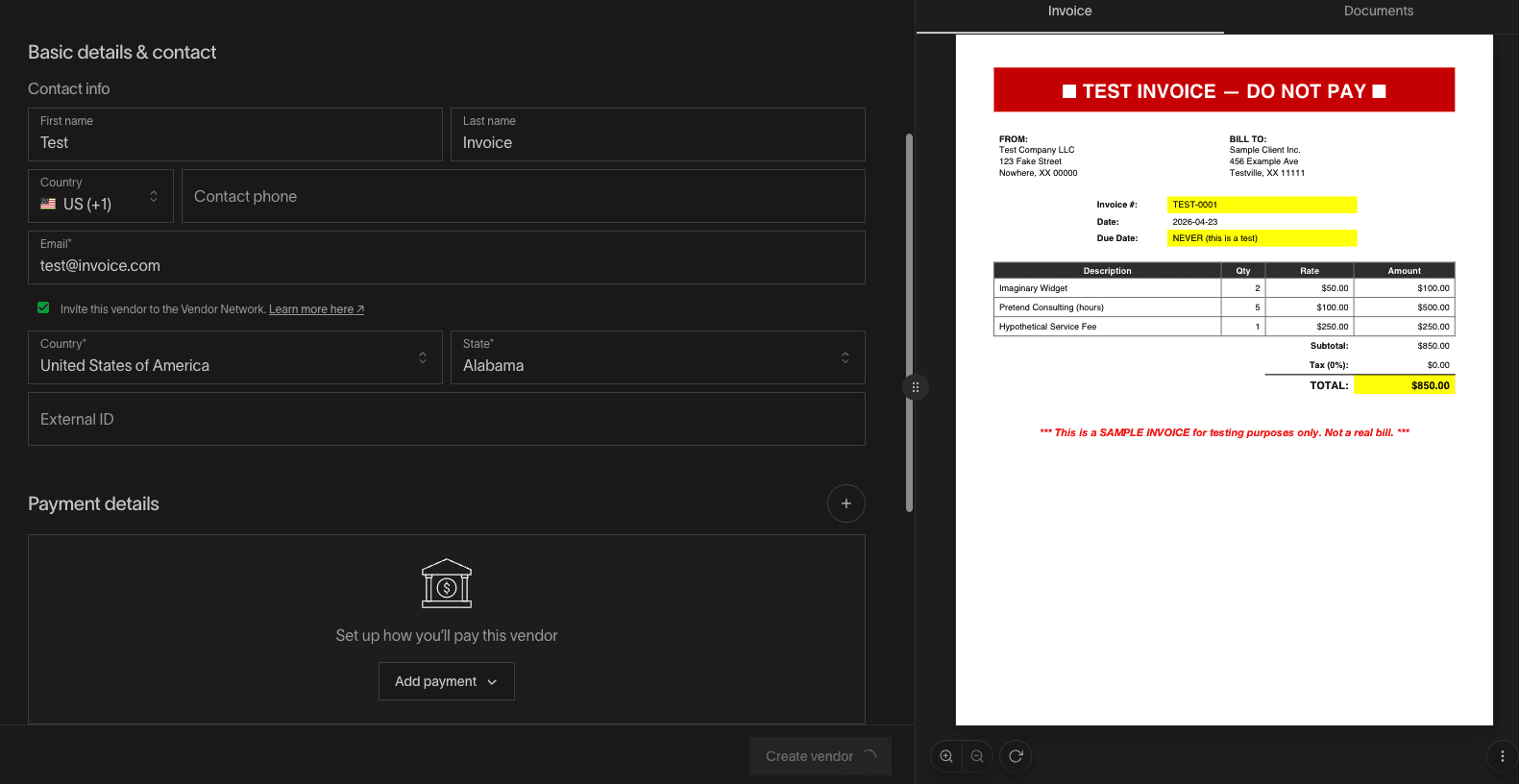
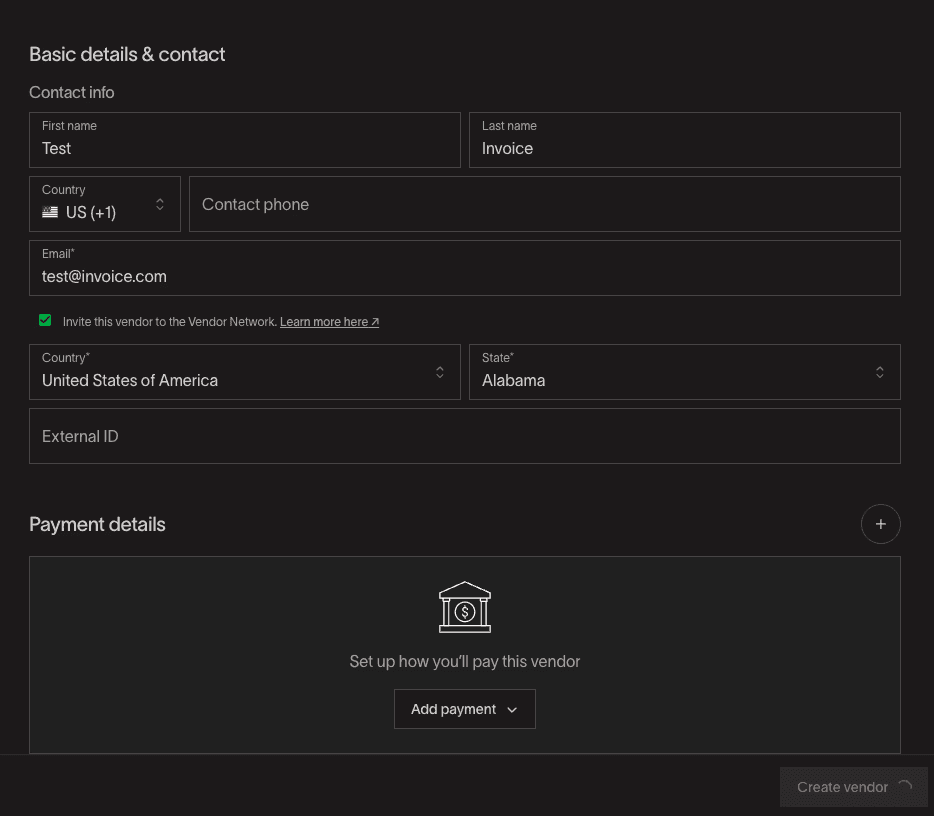
Set up Vendor
Once you've uploaded your invoice, you'll have to set up your vendor by filling out Basic details & contact information
03
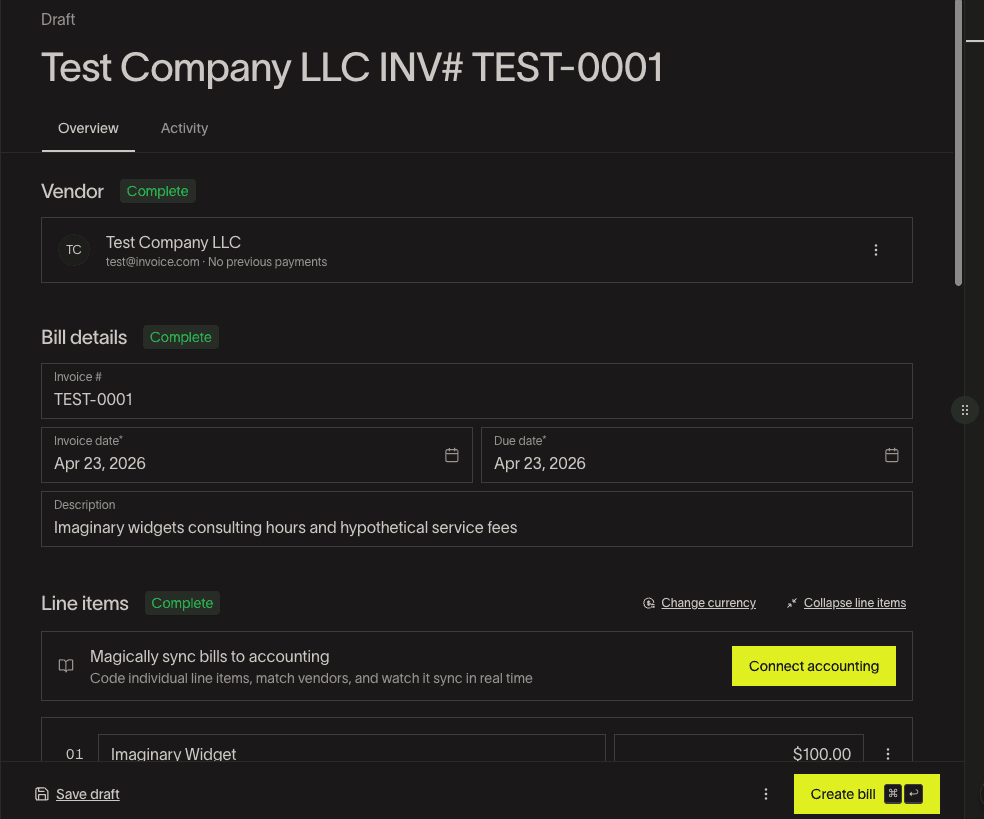
Review the auto-filled details
Check the extracted fields, vendor, amount, GL coding, due date. Edit anything that looks off. Ramp learns from your corrections, so each invoice from the same vendor gets more accurate.
04
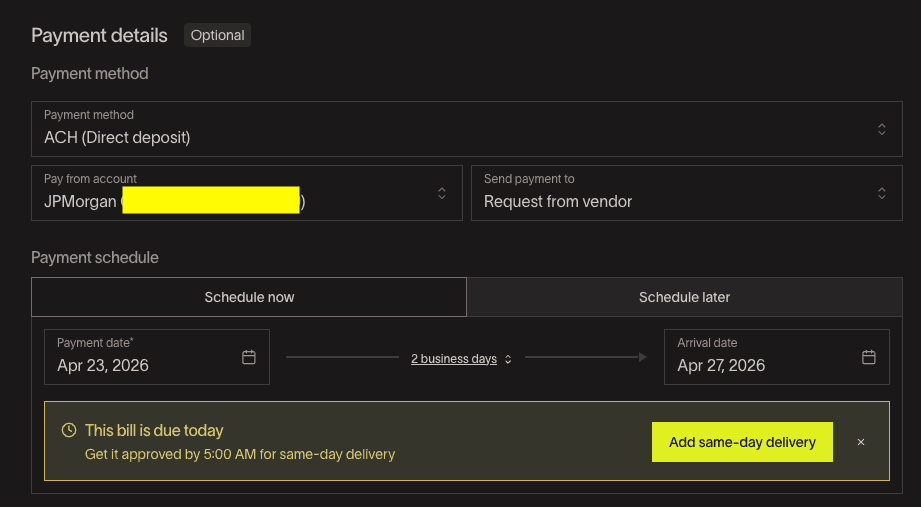
Review Payment Method & Payment Schedule
Under Payment Method, select the method that you want.
Standard ACH payment is free (effective June 1, 2026 - $0.59, with a 3-month grace period for active Bill Pay customers with at least 1 bill paid before May 1, 2026)
Same-day ACH payments: $10 per transaction
Domestic wire transfers: $15 per transaction
International wire (SWIFT USD) payments: $20 per transaction
Standard check payments: $1.99 per transaction (effective June 1, 2026, with a 3-month grace period for active Bill Pay customers with at least 1 bill paid before May 1, 2026)
Overnight check delivery: $20 per transaction
Check attachments: $1 per page
Once everything is set, Click on Create Bill
05
Approve & Schedule
After Creating your Bill, click on Approve and Schedule.
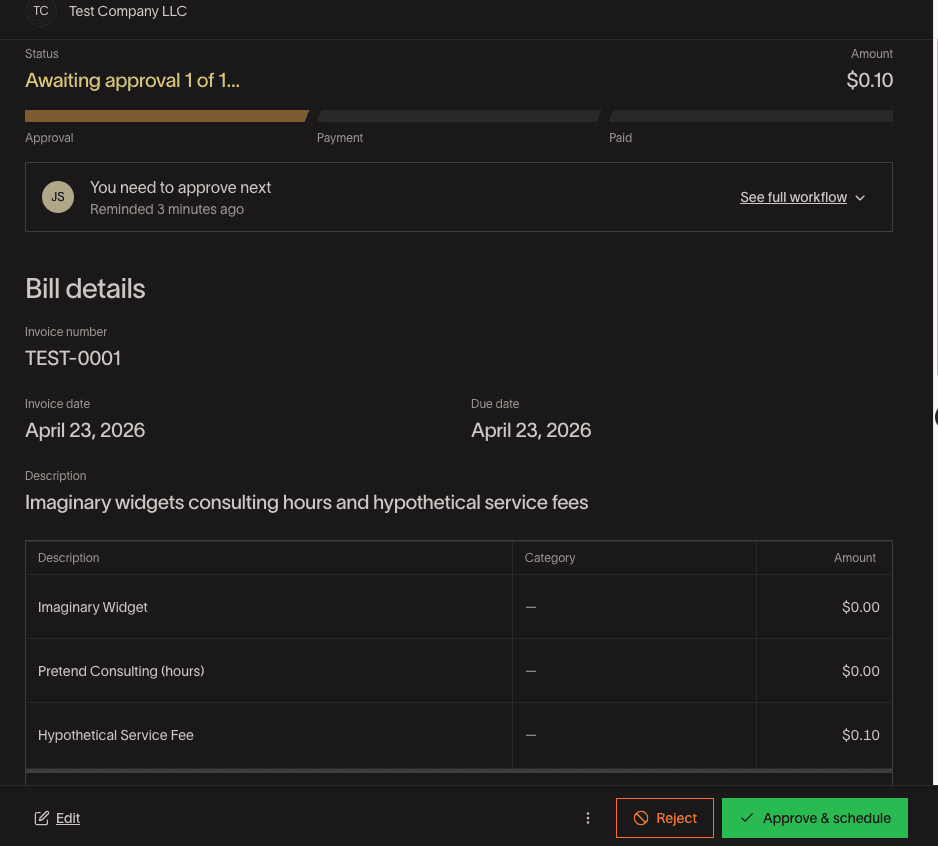
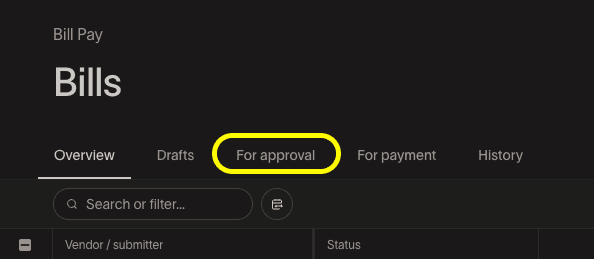
Then go back to your Bill Pay page, and click on For Payment
06
Release Payments